Correlation
Connect static code findings with runtime evidence. Prioritize real risks over theoretical issues by understanding which vulnerabilities are actually exploitable.
Why Correlation Matters
Static analysis alone produces many false positives. Dynamic analysis alone misses code paths not exercised in testing. Correlation gives you the complete picture.
Run Correlation
After running both static and dynamic analysis:
/agent-correlate
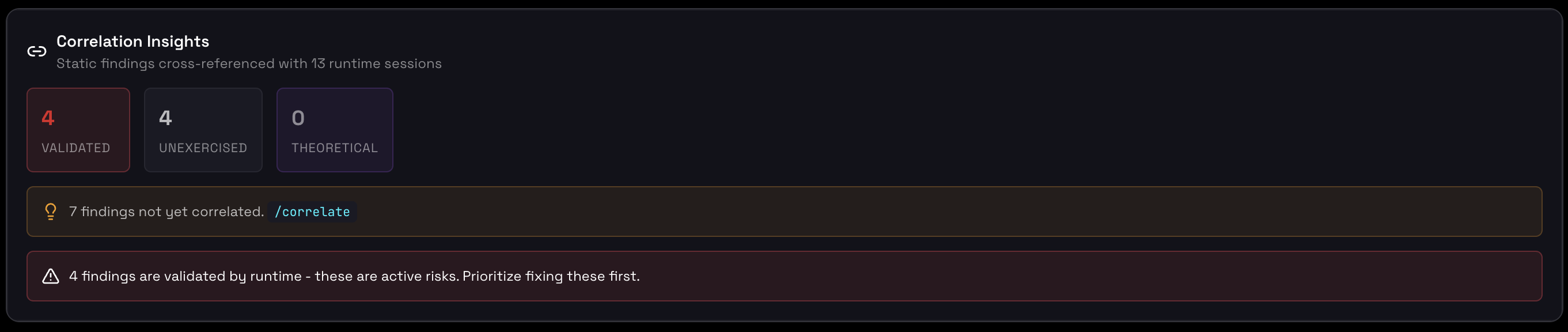
Correlation showing static findings validated against runtime evidence
Correlation States
Each static finding receives a correlation state based on runtime evidence:
VALIDATED
Finding detected in code AND observed in runtime behavior.
- Highest priority — actively exploitable
- Fix immediately before production
- Blocks production gate
UNEXERCISED
Finding detected in code but NOT YET triggered in runtime tests.
- High priority — needs more testing
- Add test cases to cover this code path
- May block gate if CRITICAL severity
THEORETICAL
Finding detected in code with NO PATH to exploitation in runtime.
- Lower priority — not currently exploitable
- Code may be unreachable or dead
- Monitor for changes
How Correlation Works
Correlation Evidence Types
| Evidence Type | Description | Example |
|---|---|---|
| Direct Match | Runtime event directly traces to code location | PII detected in output traced to unsanitized input |
| Pattern Match | Runtime behavior matches predicted vulnerability pattern | Token spike matches unbounded loop in code |
| Tool Correlation | Tool usage in runtime matches dangerous tool definition | File write tool called with user-controlled path |
| Absence | Code path never executed in runtime tests | Error handler code never triggered |
Fix Prioritization Matrix
Use correlation state and severity to prioritize fixes:
| VALIDATED | UNEXERCISED | THEORETICAL | |
|---|---|---|---|
| CRITICAL | Fix immediately | Fix + add tests | Review code path |
| HIGH | Fix before release | Add tests first | Monitor |
| MEDIUM | Fix when possible | Track for later | Backlog |
| LOW | Track for later | Backlog | Accept risk |
For Developers
Running Correlation
# In your IDE
/agent-correlate

# Or via API
curl http://localhost:7100/api/correlate
Correlation Output
{
  "findings": [
    {
      "id": "finding-001",
      "title": "Unsanitized user input in prompt",
      "severity": "HIGH",
      "correlation_state": "VALIDATED",
      "static_location": "agent.py:42",
      "runtime_evidence": [
        {
          "session_id": "sess-047",
          "event": "prompt_injection_detected",
          "timestamp": "2025-01-15T10:23:45Z"
        }
      ]
    },
    {
      "id": "finding-002",
      "title": "Missing rate limiting",
      "severity": "MEDIUM",
      "correlation_state": "UNEXERCISED",
      "static_location": "tools.py:78",
      "runtime_evidence": []
    }
  ]
}
After Correlation
- Fix VALIDATED findings with
/agent-fix - Add test cases for UNEXERCISED code paths
- Re-run dynamic analysis with new tests
- Re-correlate to update states
- Check
/agent-gatefor production readiness