Get Started in 60 Seconds
Two ways to get started: Install via IDE (recommended) or Standalone (for any agent framework).
Install via IDE
For Cursor and Claude Code users. Get static analysis, dynamic runtime insights, and correlation directly in your IDE.
Claude Code
Run these commands:
/plugin marketplace add cylestio/agent-inspector
/plugin install agent-inspector@cylestio
Restart Claude Code for the MCP connection to activate.
Cursor
Run this command:
Fetch and follow instructions from https://raw.githubusercontent.com/cylestio/agent-inspector/main/integrations/AGENT_INSPECTOR_SETUP.md
Restart Cursor and approve the MCP server when prompted.
- Persistent memory — Agent Inspector remembers context across sessions
- Runtime insights — Access dynamic data from your running agents
- Slash commands —
/agent-scan,/agent-fix,/agent-gate - Correlation — Connect static code findings with runtime behavior
Standalone Installation
For any agent framework without IDE integration. Start the proxy and dashboard with one command.
For Anthropic (Claude)
uvx agent-inspector anthropic
For OpenAI (GPT)
uvx agent-inspector openai
- Proxy starts on
http://localhost:4000 - Dashboard opens at
http://localhost:7100 - No installation needed —
uvxhandles everything
uvx automatically downloads Agent Inspector, runs it in an isolated environment,
and cleans up afterward. No pip install, no conflicts. Learn more
CLI Options
Customize Agent Inspector's behavior with these command-line options.
| Option | Description | Default |
|---|---|---|
--base-url |
Override the LLM provider base URL (e.g., for local proxy) | Provider default |
--ui-port |
Override the dashboard port | 7100 |
--use-local-storage |
Enable persistent SQLite storage for trace data | Disabled (in-memory) |
--local-storage-path |
Custom database path (requires --use-local-storage) |
./agent-inspector-trace.db |
--log-level |
Set logging level (DEBUG, INFO, WARNING, ERROR, CRITICAL) | INFO |
--no-presidio |
Disable Presidio PII detection | Enabled |
Example with Options
uvx agent-inspector anthropic --ui-port 8080 --use-local-storage
Point Your Agent to the Proxy
Change one line in your agent code:
Anthropic
client = Anthropic(
    api_key="your-key",
    base_url="http://localhost:4000"
)
OpenAI
client = OpenAI(
    api_key="your-key",
    base_url="http://localhost:4000"
)
Group Sessions with Agent Workflow ID
Optionally, include a workflow ID in the base URL to group sessions and link them to static analysis findings:
http://localhost:4000/agent-workflow/{AGENT_WORKFLOW_ID}
Use the same agent_workflow_id when running static scans via MCP tools to correlate findings.
n8n users: Update your Anthropic/OpenAI credential's Base URL field to http://localhost:4000. See n8n guide →
Run Multiple Test Sessions
Execute your agent with varied inputs during evaluation and testing. Run a minimum of 5+ sessions, ideally more than 20, the more the better. Agent Inspector analyzes automatically as sessions complete.
for prompt in test_prompts:
    agent.run(prompt)  # Each execution = 1 session
Default: Data is in-memory only and cleared when you stop Agent Inspector.
Persistent: Use --use-local-storage to save data to SQLite and persist across restarts.
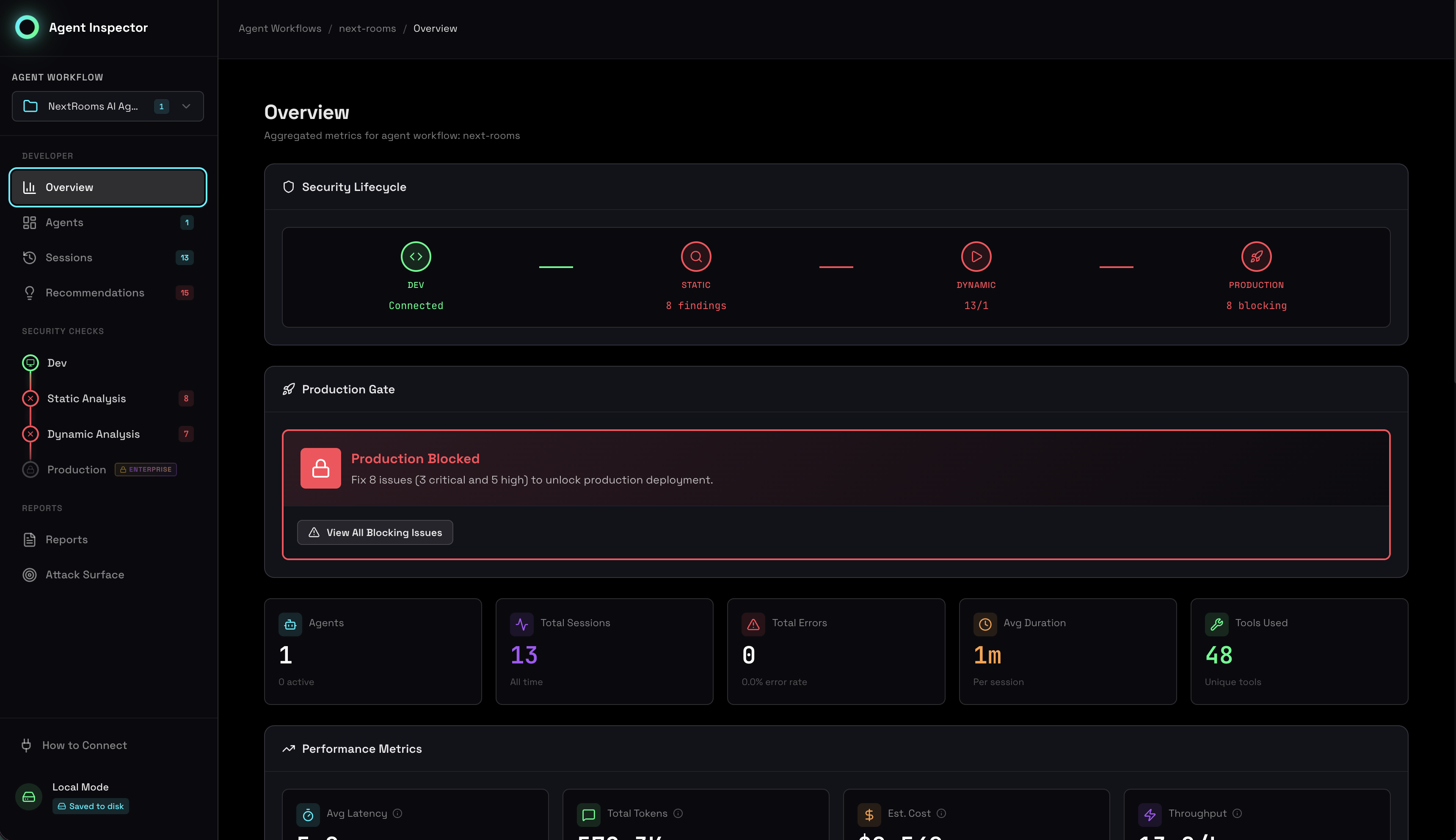
View Your Agent Assessment
Open the dashboard at http://localhost:7100 and immediately get:
- Static Analysis — Code vulnerabilities mapped to OWASP LLM Top 10
- Dynamic Analysis — Runtime behavior patterns and anomalies
- Correlation — Static findings validated against runtime evidence
- Behavioral Analysis — Stability scores, clustering, outlier detection
- Production Gates — Go/no-go decision based on security posture
IDE Slash Commands
If you set up IDE integration, use these commands directly in Cursor or Claude Code:
| Command | Description |
|---|---|
/agent-scan |
Run static analysis on your agent code |
/agent-analyze |
Run dynamic analysis on runtime behavior |
/agent-fix |
Get AI-powered fix for a security finding |
/agent-correlate |
Connect static and dynamic findings |
/agent-gate |
Check production readiness status |
/agent-report |
Generate compliance report |
/agent-debug |
Explore sessions and debug agent behavior |
What's Next?
Platform Guides
Security Lifecycle
Capabilities
Alternative Installation Methods
If you prefer traditional package managers:
# pipx (recommended for CLI tools)
pipx install agent-inspector
agent-inspector anthropic

# pip (standard Python)
pip install agent-inspector
agent-inspector anthropic